
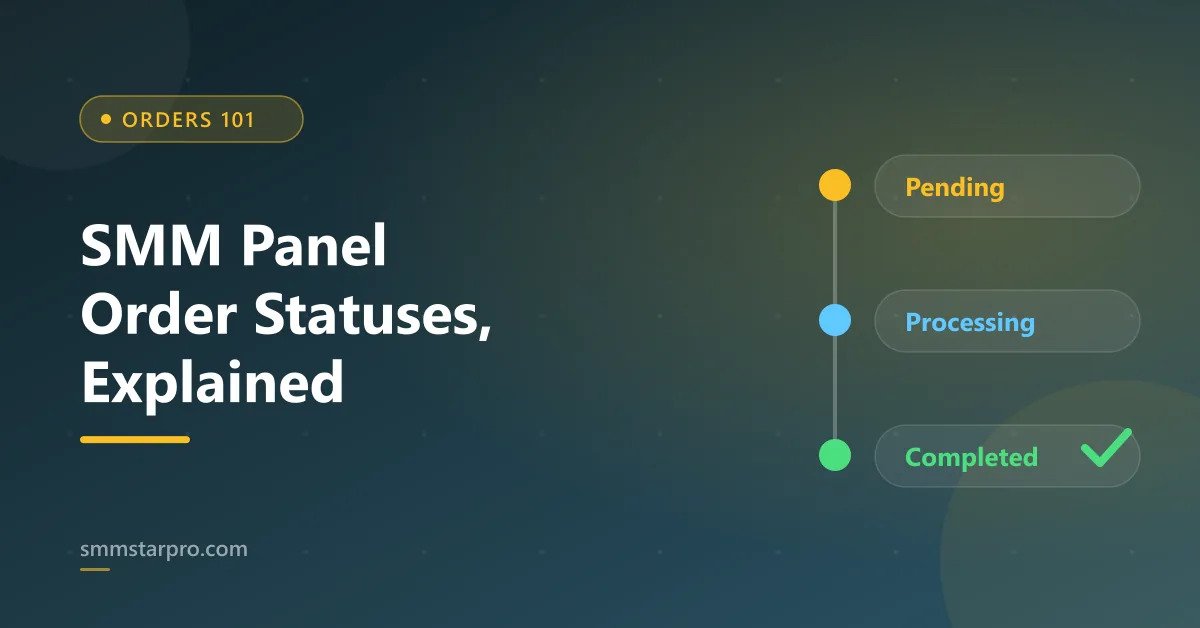
An SMM panel order status is the label that tells you where your order sits in the delivery pipeline: Pending means it is queued, Processing (In progress) means delivery has started, Partial means only some of the quantity was delivered and the rest was refunded, Completed means the full amount arrived, and Canceled means nothing was delivered and you were refunded. Reading these correctly saves you from opening tickets you do not need and helps you spot the rare order that genuinely needs support.
Key Takeaways
- Pending means your order is queued and delivery has not started yet, which is normal for minutes to a few hours.
- Processing (In progress) means delivery is actively happening, sometimes spread out via drip-feed, so let it finish.
- Partial means only part of the order was delivered and the rest is automatically refunded to your panel balance.
- Completed means the full quantity was delivered; use any refill or non-drop window if the count later drops.
- Canceled means nothing was delivered and you are refunded; fix the link or format before reordering.
What does order status mean on an SMM panel?
Every order you place on an SMM panel moves through a short lifecycle. When you submit a link and a quantity, the panel forwards the request to a provider or its own supply, then reports back a status you can see in your dashboard. That status is simply a snapshot of progress, updated automatically as the system pushes followers, likes, views, or watch time to your link.
You do not control the status directly. It changes on its own as delivery happens. Your job is to read it correctly, know what is normal for each stage, and act only when the status clearly signals a problem. Most orders move from Pending to Completed with no action needed from you at all.
What does Pending order status mean?
Pending means the panel has accepted your order and placed it in the queue, but delivery has not started yet. This is the normal first state for almost every order. During busy periods, or for services that batch requests before sending them out, an order can sit as Pending for anywhere from a few minutes to a few hours.
You usually do not need to do anything while an order is Pending except wait. The one thing worth checking is your link. If the target account is set to private, the post was deleted, or the username changed after ordering, the order can stay stuck because the system cannot reach the target. Keep the account public and the link live until the order shows Completed.
What does Processing or In progress mean?
Processing, sometimes shown as “In progress,” means delivery has begun and the numbers are actively landing on your link. For some services this is instant and fast; for others, especially ones using drip-feed to spread delivery over time, it can run gradually so the growth looks natural.
Once an order is Processing you should let it finish. Refreshing the page repeatedly or placing a second identical order because “nothing is happening” is the most common way buyers create their own problems. Give drip-feed and gradual-delivery services the time window the service description mentions before you judge them as slow.
What does Partial order status mean?
Partial means the panel delivered some of your ordered quantity but could not complete the rest, so it automatically refunds the undelivered portion back to your panel balance. For example, if you ordered a set amount of views and the supply dried up midway, you keep what arrived and get money back for what did not.
Partial is not a scam or an error on your side; it is the honest outcome when supply runs short. Check your balance to confirm the refund landed, then decide whether to reorder the missing amount, possibly from a different service with better fill stability. If the refund did not appear, that is a valid reason to contact support with your order ID.
What does Completed status mean, and is the count final?
Completed means the panel delivered the full quantity you ordered to your link. This is the goal state. At the moment of completion, the numbers you paid for have been pushed to the target post or profile.
Keep one nuance in mind: a Completed status refers to what was delivered, not what stays forever. Some drop is normal on many platforms as fake or low-quality accounts get filtered. This is where refill and non-drop guarantees matter. If the service you bought includes a refill window, you can request a top-up if the count falls below the delivered amount within that window. A service marketed as non-drop is built to hold the count with less shrinkage.
What does Canceled status mean and will I be refunded?
Canceled means the order was not delivered at all and the full amount is refunded to your panel balance. Panels cancel orders for clear reasons: a broken or private link, an unsupported URL format, the service going temporarily out of stock, or a duplicate order placed on a link that already has an active order.
When you see Canceled, first confirm the refund reached your balance, then fix the underlying cause before reordering. Nine times out of ten the fix is on the link side: make the account public, use the exact URL format the service asks for, and wait for any active order on the same link to finish first.
What should I do for each order status?
Use this quick reference to decide whether to wait or act. In almost every case the right move for Pending and Processing is simply to wait.
| Status | What it means | What to do |
|---|---|---|
| Pending | Order accepted and queued; delivery not started | Wait; keep the account public and link live |
| Processing / In progress | Delivery is actively happening, sometimes drip-fed | Wait for the delivery window; do not reorder |
| Partial | Part delivered, remainder auto-refunded | Confirm refund; reorder the missing amount if needed |
| Completed | Full ordered quantity delivered | Nothing; use refill window if count later drops |
| Canceled | Nothing delivered; full refund issued | Fix the link/format, confirm refund, then reorder |
When should I actually contact support?
Support exists for genuine stalls, not for normal waiting. Reach out when an order has been stuck in one state well beyond the service’s stated delivery window, when a Partial or Canceled order did not return the refund to your balance, or when a Completed order clearly did not deliver anything visible on your link.
Make the ticket easy to solve on the first reply:
- Include the order ID and the exact service name.
- Paste the link exactly as you submitted it.
- Say what status you see and how long it has been that way.
- Mention whether you changed the account privacy or link after ordering.
Providing these details up front turns a slow back-and-forth into a quick resolution, and it helps support tell the difference between a real fault and an order that just needs a little more time.
How can I avoid common order-status mistakes?
Most status confusion comes from a handful of avoidable habits rather than panel faults. Understanding the lifecycle once means you can place orders confidently and only step in when something is genuinely wrong.
- Do not double-order the same link. Placing a second order on a link that already has an active order often triggers a cancelation and looks like a failure when it is really a duplicate block.
- Keep the account public. A profile switched to private mid-delivery can stall a Processing order, because the system loses access to the target.
- Match the service to the link type. Ordering a post-only service on a profile link, or vice versa, is a frequent cause of Canceled orders.
- Respect drip-feed timing. Gradual delivery is a feature, not a delay; judge it against the stated window, not against instant services.
Panels that report status honestly, including Partial and Canceled with automatic refunds, are showing you a healthy system. A panel that never returns money on undelivered orders is the real warning sign. Reading status calmly and acting only on true stalls keeps your spend efficient and your growth steady.
Related guides
- what an SMM panel actually is
- how to add funds to a panel
- free vs paid SMM panels
- the best SMM panel in Bangladesh
Sources & further reading
Frequently Asked Questions
Why is my SMM panel order still pending?
Pending usually just means your order is queued and delivery has not started, which is normal for minutes to a few hours during busy times. If it stays Pending far beyond the stated window, check that the account is public and the link is correct, then contact support with your order ID.
Does a Partial status mean I lost money?
No. Partial means only some of the quantity was delivered and the panel automatically refunds the undelivered portion to your balance. Confirm the refund landed, then reorder the missing amount if you still want it.
Can I cancel an SMM order once it is processing?
Generally no. Once an order shows Processing, delivery has already started and it cannot be reversed. Cancelation typically only applies before delivery begins or when the system cancels an undeliverable order itself.
Why did my count drop after the order was completed?
Some drop is normal as platforms filter low-quality accounts. If your service includes a refill or non-drop guarantee, request a top-up within the refill window; without such a guarantee, minor drop is expected.
How long should I wait before opening a support ticket?
Wait until the order has clearly exceeded the delivery window listed on the service. For Pending or Processing orders inside that window, waiting is the correct action; open a ticket only for real stalls or missing refunds.